Google

2006-04-26

Ubuntu Install

A few weeks ago, Mathieu, a friend of mine from work, gave me a "original" Ubuntu CDs and I promised myself to dump my Fedora Core 4 & test Ubuntu instead. Unfortunately, I was very busy and I even forgot where I put the CD.

INSTALLATION BLUES
Finally, last week, I downloaded Ubuntu Breezy Badger 5.10 (meaning 2005 / October release). Unfortunately, installation did not finish. I kept on getting installation failures about some "initrd-tools".

As I see it, it is good that things do not work and it gives me a chance to do some research and learn while trying to fix it... Some people in Ubuntuforums suggested that they burnt their CD images with lower speeds and it worked but that did not sound right to me. Plus, it did not work for some other people. Yet, they might have a point...

So, I found the CDs Mathieu had given to me and tried to install it on the PCs. It worked like a charm on both. Setup was a breeze :)

To be able to use Synaptic Package Manager to get updates, I had to enter my proxy into Settings > Preferences > Network.

UPGRADING TO DAPPER DRAKE 6.06
Then, I decided to update my Ubuntu to the latest test version: Dapper Drake 6.06 (it will be released in June). The problem I usually faced with Fedora was that if I wanted to upgrade, let's say, from Core 3 to Core 4, cleanest way was to dump the previous version and install the new version from scratch.

As Ubuntu is based on Debian Technology, it does a much better job in handling such issues. Unfortunately my first attempt was unsuccesful.


Then, I wanted to see how the latest Beta was and as someone suggested edited my sources.list file which is like yum repositories of Fedora in Ubuntu World:

sudo sed -i -e "s/breezy/dapper/" /etc/apt/sources.list

Then ran the following commands
  • sudo apt-get update
  • sudo apt-get dist-upgrade

I did not pay attention to any messages and just rebooted when finished and all hell broke loose. X-Server would just not start! I googled to see if anyone else had the same issue and sure enough many people had seen similar issues. Unfortunately, none of the fixes suggested worked:
  • sudo dpkg-reconfigure xserver-xorg
After spending a few hours and trying every trick I could find, I gave up & reinstalled Breezey Badger from scratch.

I mentioned my experience to Mathieu, and we tried it together on my pc at work. We first needed to enable proxy by entering the following in a terminal window:
export http_proxy=http://proxyext.ourserver.com:8080

I actually used my old entry in this blog about configuring yum to make the change permenant :)

Then we manually edited /etc/apt/sources.list and replaced "breezy" with "dapper".

Then we ran:
  • sudo apt-get update
and we realized that we had missed one entry in the sources.list that was pointing to Breezy Badger 5.10 CD. After removing it, things worked out smoothly. Then, we ran the dist-upgrade:
  • sudo apt-get dist-upgrade
Upgrade took about 30mins. Once it was finished, I noticed the changes on the screen. New icons are amazingly cute and bright. I loved the new interface!

CONNECTING TO NTFS
The very first thing I wanted to do after I got the new OS was to access my mp3s on my Windows 2003 R2 server. This was surprisingly easy:

Clicked to Places > Connect to Server and just entered the hostname, sharename, username and password. In fact, I noticed that the shortcut that automatically got created on the desktop was still available after reboot, I just needed to enter my password to the key-ring.

CAN YOU HEAR ME NOW?
So, now that I had access to my mp3s, I wanted to play them. As I knew from Fedora, there are licensing issues and official release does not have the necessary codecs etc.

How-to docs were readily available in Ubuntu Wiki > Multimedia section.
By enabling the multiverse and universe repositories and installing the gstreamer0.8-mad packages:
sudo apt-get install gstreamer0.10-plugins-ugly (for Dapper Draker 6.06 only)
I was supposed to be done. As expected, when I clicked on mp3s, Totem Launched without complaining but I heard no sound.

I ran lspci to check if system detected my sound card and it showed
0000:05:0e.0 Multimedia audio controller: Creative Labs SB Audigy LS
This reminded me of my "No Sound on Fedora Core 3" entry last year :) I was then able to solve that problem using alsamixer. When I googled for ubuntu sound problems, I saw that some people had solved that problems via alsamixer too.

So, I launched it and started to play with it. I found out that I had to increase the volume level for "Analog Front" channel.

All issues behind, I am quite happy right now. The next is to play DivX, DVD etc. I need to find something like PowerDVD in linux...

2006-04-22

Open Command Prompt Here

On my XP box, when I browse to a folder where I need to open a command prompt, I just right click and have the option "Command Prompt Here'. That's available because I installed Windows XP Power Toys, which includes "Open Command Window Here" (aka cmdhere) toy.

It's possible to do the same on Windows 2003 and you can do it too:
  1. Open regedt32 and navigate to the HKEY_LOCAL_MACHINE\SOFTWARE\Classes\Folder\shell folder.
  2. Add a new key called “Command Prompt“
  3. Modify the default custom string to read “Open Command Window Here“
  4. Add a new key to this folder called “command“
  5. Modify the default custom string to read: Cmd.exe /k pushd %L
  6. Changes will take effect immediately

Or just copy the lines below to a text file and rename it as something like "cmdhere.reg". Then, when you click (or double click) it, you will have the option to import it...

------ Include all lines below this line -----
Windows Registry Editor Version 5.00

[HKEY_CLASSES_ROOT\Folder\shell\CMD]
@="Open CMD Here"

[HKEY_CLASSES_ROOT\Folder\shell\CMD\command]
@="cmd.exe /k pushd %L"
------ Include all lines above this line -----

2006-04-18

Me Gusta Muive Muive


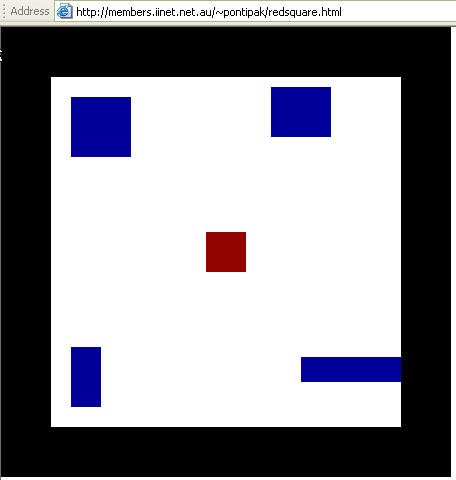
If I remember correctly, that means something like "I want to move it move it" :) I guess it well describes the game I want to mention here:
http://members.iinet.net.au/~pontipak/redsquare.html

There is a little red square that you can move with your mouse. You should not touch any of the blue squares or black space. Can you do it for 18secs ?

2006-04-16

Can not Install SyncToy...

We were seeing some issues with the hard drive on my wife's pc recently so, I ordered two Maxtor 300GB Hard drives from Tiger Direct last week.

It turned out to be a very timely order! To my surprise, I lost two hard drives out of four on my two HP XW6000 PCs the very same weekend. Luckily, I was checking the Event Viewer and noticed "dsk" alerts like:

"The driver has detected that device \Device\Harddisk0\DR0 has predicted that it will fail. Immediately back up your data and replace your hard disk drive. A failure may be imminent."

I was able to back up all my data before they totally crashed :) So, I installed new drives on my PCs. One XP and one Windows 2003. I tend to use my own scripts & robocopy for back up but wanted to install Microsoft's SyncToy 1.2 on my XP box. Guess what? I could not...

During SyncToy installation, I got the message below:

This setup requires the .NET Framework version 1.1.4322. Please install the .NET Framework and run this setup again. The .NET Framework can be obtained from the web. Would you like to do it now? Yes Button No Button

Yes Button will lead you to http://msdn.microsoft.com/netframework/downloads/updates/default.aspx. From here you have the choice of 3 .NET Framework versions to choose from as of this writing, among Service Packs, SDKs, Compact Framework, Redistributable for Windows 2003, and others. And nowhere does it mention version 1.1.4322, which is required according to the message mentioned above.

Because I installed everything from scratch, Windows update installed .NET Framework 2.0.50727 on my machine and it appears that it is not backward compatible. What a shame!

I downloaded .NET Framework 1.1 from Microsoft but it would not install. I googled and it looks like there are others who had the same issue. I liked the blog entry from Haidong Ji, who has a good blog called Ji Village News. You can read his story here...

So, I guess I will keep on using Robocopy :)

2006-04-04

Rosetta Stone for SysAdmins

My friend, Nageen "Bad-Boy" Panchani sent this link: http://bhami.com/rosetta.html
You can choose from a number of OSes including FreeBSD, Linux, Solaris and a bunch of other *nix flavors, and you will get a nice table which tells you what the command is for a specific task in each OS.

2006-03-28

Access denied .File is in use blah blah

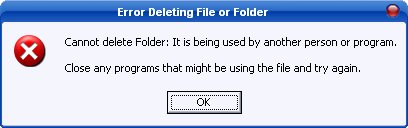
Oh, don't you hate to see access denied messages when you trying to copy/delete a file?


A friend of mine had showed me a trick that sometimes work:
If the filename is abc.dll -> rename the file like this abcd.dll_
that magical "underscore " may help you.

But if not, try this nice & free utility named Unlocker.

AlertBear

So, you have tons of RSS feeds and rather than reading them like e-mails, you would prefer to get alerts as the feeds become available? Let me introduce you to AlertBear (Windows Only)!

Altiris Software Virtualization Solution

With Altiris SVS, you can install any program to a transparent layer that snags all attempts that the program makes to write to your system, instead saving them inside of the layer. That means no extra .dll’s and no permanent registry changes - SVS takes care of all of that....

Read the rest of the article at LifeHacker.com

Disposable e-mail services

I saw a nice article at ghacks.net about the subject:

There are two ways to avoid spam when registering somewhere on the internet. First you can use Disposable Email Address Services that allow you to check an email account that is not your own and email aliases that webmailers like gmail and yahoo mail offer. I will only post free sites that offer the first service.

The procedure itself is always the same. You go to the website of the service and take a look at the requirements of the email address. For example the service www.mytrashmail.com offers only free emails that use somename@mytrashmail.com. After this you visit the website you want to register with and enter an email address which could be anything as long as it ends with @mytrashmail.com....

Email Aliases:

This is becoming increasingly popular. I only tested it with my gmail account but friends told me that yahoo for instance is offering a similar service. You can send emails using a service called plus addressing. This is not documented yet in the help files so I explain the basic concept. Lets say your email address is ghacks@gmail.com and you want to register at a website. You might register with an email alias that looks like ghacks+sitename@gmail.com. The verification mail will be send to your inbox and you can reply to it to activate the account.

Read all at source

2006-03-18

Meet the Life Hackers

This is a lengthy but a must read article about "life hackers"...

Meet the Life Hackers
Can anyone find a way to make your constantly beeping computer leave you alone and let you work? Inside the nascent field of interruption science.
by Clive Thompson
Read at source

David Lynch: Consciousness, Creativity and the Brain

A wonderful webcast I would suggest everyone to watch: David Lynch: Consciousness, Creativity and the Brain. Check out Wikipeadia for more info on David Lynch, whose Mulholland Drive, Twin Peaks, Blue Velvet & Straight Story are among my favorite movies.

Also, someting to check if you are in NYC: Practical Philosophy

2006-03-07

Free USB Drive from Microsoft

Head over to the Mystery Solved site of microsoft.com and click on the usb stick on the right where it says Get Yours. You need to sign in with passport.net and answer the following questions:

Q1. How many ways are there to obtain a full Microsoft® Windows® Desktop license?
Answer:: 2

Q2: Volume License Agreements cover Windows Desktop operating system upgrades only.
Answer: True

Q3: OEM operating system licenses are non-transferable.
Answer: True

Q4: The most cost-effective way to acquire an initial, full underlying Windows Desktop license is preinstalled.
Answer: True

It will take between 6 and 8 weeks before you get the stick, but free is free, right ?

2006-03-02

Microsoft's Origami Project

Have you heard of Microsoft's Origami Project? Have you seen http://www.origamiproject.com, you must be wondering what the demo is talking about and what will be announced on March 9, 2006.

Hmm, here is a tip: would you want to have just one device that would do what all other devices like blackberry, treo, palm & camera phone, mp3 player can do? :) Well, at least that's the promise of the new gadget Microsoft is supposed to announce in a week from now & we'll see if it is hot or hype

2006-02-27

What's Up? Need Global News?


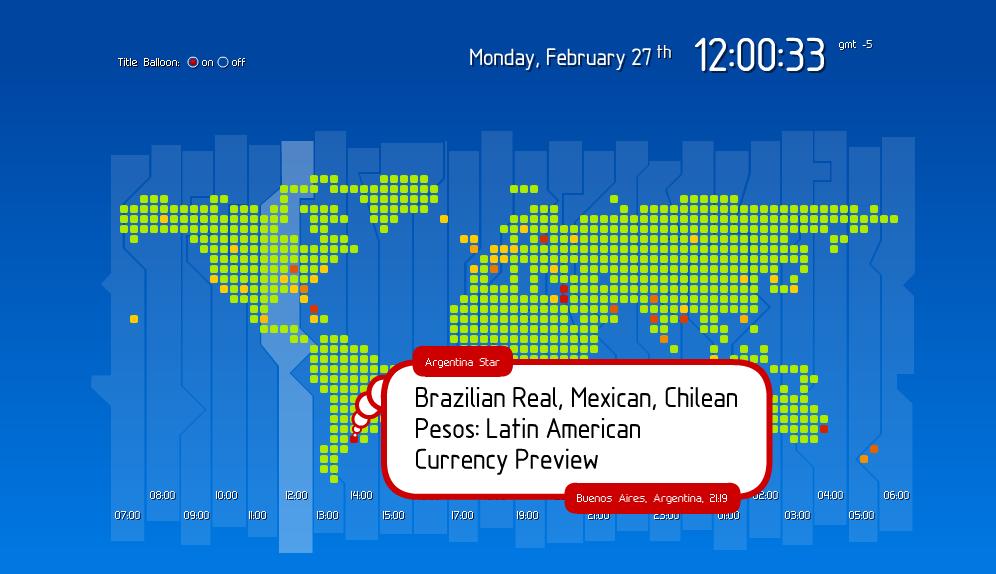
I recently found about 'What's up?' thanks to Steve Rubel's Micro Persuasion. It's a global news service! Hmm, I can't really imagine myself sitting in front of this watching what's wrong with the world but I like the idea!

2006-02-06

Nba games on Google Videa

http://video.google.com/nba.html

Free Picture

Oh, the extend people go to for a free picture! This is hilarious:
http://www.youtube.com/player.swf?video_id=vEWLwz6JRNE&l=357&s=B4BC767

Super Bowl ads on Google Video

Just in case you missed any of the Super Bowl ads yesterday, you can see them on Google video: http://video.google.com/superbowl.html

Starbucks Promotion

As a sign of gratitute for our hard work, one of our managers gave us Starbucks cards. I loved it & I have to habit of registering such things. So I went to Starbucks' site for registration http://www.starbucks.com/card and there I saw a good promotion: If you put $50 into your card using a visa credit card, they treat you for $10. Not bad, eh? Offer valid until the end of February

See details here:
http://www.starbucks.com/card/visa_promo.asp